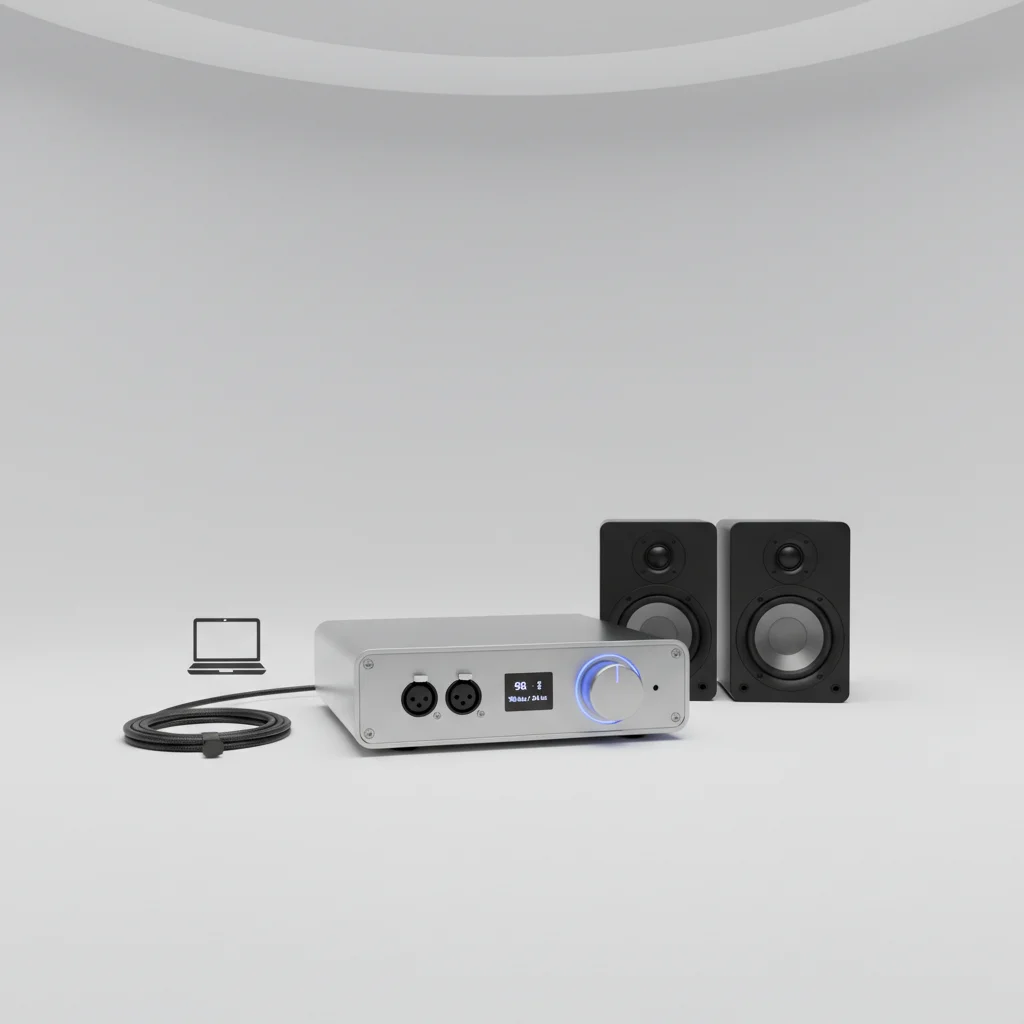
A Digital-to-Analog Converter (DAC) can significantly improve the sound quality of your studio monitors, especially if your existing audio interface or computer’s built-in DAC is of lower quality. The improvement stems from a more accurate conversion of digital audio signals into analog signals, leading to clearer highs, tighter lows, and a more defined stereo image. For critical listening and mixing, a dedicated external DAC often provides a noticeable upgrade over integrated solutions.
Understanding Digital-to-Analog Conversion
Every digital audio signal, whether from your computer, audio interface, or streaming device, must be converted into an analog signal before it can be played through your studio monitors. This conversion process is handled by a DAC. The quality of this conversion directly impacts the fidelity of the sound you hear. A high-quality DAC minimizes errors and noise during this process, preserving the nuances of the original recording.
Lower-quality DACs, often found in consumer-grade devices, can introduce artifacts, jitter, or a less accurate frequency response, which can muddy the sound and make critical listening difficult. Professional studio environments often rely on high-end DACs to ensure the most transparent and accurate audio reproduction possible.
When a Dedicated DAC Makes a Difference
If you’re using an entry-level audio interface or connecting your monitors directly to your computer’s headphone jack, a dedicated external DAC is likely to offer a substantial improvement. These built-in converters are often designed for general use rather than the demanding requirements of audio production. A good external DAC can provide a cleaner signal path, reducing noise and distortion.
However, if you already own a high-quality audio interface with professional-grade converters, the audible difference from adding another external DAC might be less pronounced. Many modern audio interfaces, especially those in the mid-to-high price range, already incorporate excellent DACs that meet the needs of most home and project studios.
Key Benefits of Upgrading Your DAC
|
Our Picks for the Best Studio Monitor in 2026
As an Amazon Associate I earn from qualifying purchases.
|
||
| Num | Product | Action |
|---|---|---|
| 1 | PreSonus Eris 3.5 Studio Monitors, Pair — Powered, Active Monitor Speakers for Near Field Music Production, Desktop Computer, Hi-Fi Audio |

|
| 2 | PreSonus Eris E5 2-Way 5.25" Near Field Studio Monitor |
|
| 3 | PreSonus Eris 3.5 Studio Monitors (White), Pair — 3.5" Inch Powered Bookshelf Speakers, Stereo, Desktop Computer, Near Field Music Production, Audio Mixing Recording |
|
| 4 | Edifier R1280T Powered Bookshelf Speakers - 2.0 Active Near Field Studio Monitor Speaker - Wooden Enclosure - 42 Watts RMS Power |
|
| 5 | PreSonus Eris E4.5-2-Way 4.5" Near Field Studio Monitor (Pair) |
|
| 6 | Yamaha HS4 Powered Studio Monitor in White, Pair (HS4 W) |
|
| 7 | Yamaha HS3 Powered Studio Monitor in Black, Pair (HS3 B) |
|
| 8 | Edifier MR4 Powered Studio Monitor Speakers, 4" Active Near-Field Monitor Speaker - White (Pair) |
|
| 9 | (2) JBL 305P MkII 5" 2-Way Active Powered Studio Reference Monitors Speakers |
|
| 10 | Mackie CR3.5 3.5" Creative Reference Powered Studio Monitors with Tone Knob and Location Switch — Active Speakers for Music Production, Desktop Computer, Gaming, HiFi Listening |
|
- Improved clarity and detail in the audio signal.
- Wider and more accurate stereo imaging.
- Reduced noise floor and less audible distortion.
- More precise transient response, making drums and percussive elements sound sharper.
- Better overall dynamic range, allowing for a more expressive listening experience.
These benefits contribute to a more reliable monitoring environment, which is crucial for making informed mixing and mastering decisions. Hearing your audio with greater accuracy helps you identify issues and make adjustments that translate better to other playback systems.
Choosing the Right DAC for Your Studio
When selecting a DAC for your studio monitors, consider several factors. The sample rate and bit depth support are important, with 24-bit/192kHz being a common professional standard. Look for DACs with low jitter specifications, as jitter can introduce timing errors in the audio signal. Connectivity options are also crucial; ensure the DAC has the appropriate inputs (USB, optical, coaxial) and outputs (XLR, TRS) to integrate seamlessly with your existing setup.
Some DACs also include additional features like headphone amplifiers, volume control, or even built-in preamps. While these can be convenient, prioritize the core DAC performance for your studio monitor chain. Researching reputable brands known for their audio conversion quality is always a good starting point.
Integrating a DAC into Your Setup
Integrating a new DAC into your studio setup typically involves connecting your computer or audio source to the DAC’s digital input (e.g., USB). The DAC then connects to your studio monitors or audio interface’s analog inputs using high-quality cables. It’s important to ensure proper gain staging throughout your signal chain to avoid clipping or introducing unnecessary noise.
For optimal performance, place your DAC away from sources of electromagnetic interference. Experiment with different connection types if your DAC offers them, as some may yield slightly different results depending on your specific equipment.Many users find that a dedicated DAC provides a noticeable improvement in the overall transparency and accuracy of their monitoring system, allowing them to hear their mixes with greater confidence.
