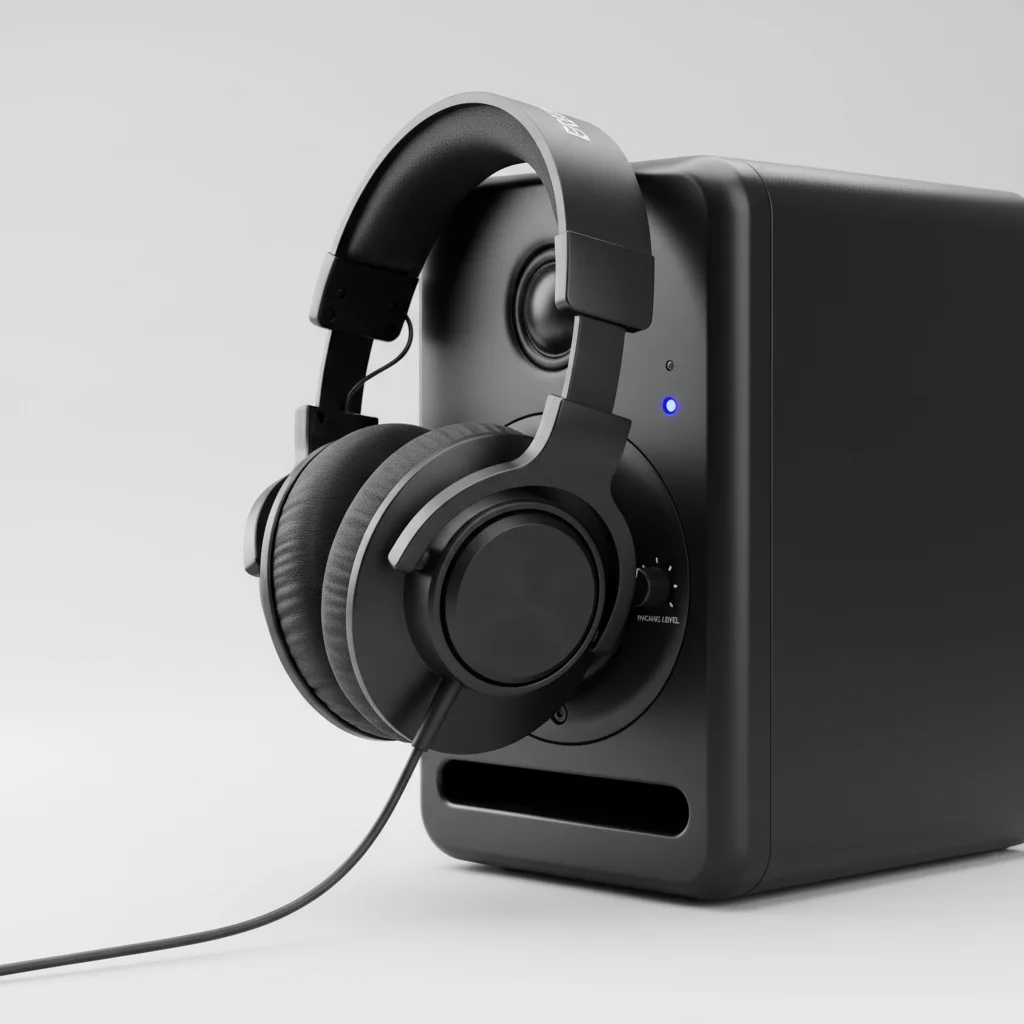
The headphone output on a studio monitor can affect sound quality, but typically not in a significant way that impacts critical listening or mixing decisions. Most studio monitors with a built-in headphone jack use a basic amplifier circuit that is sufficient for casual monitoring. However, for professional-grade headphone monitoring, a dedicated headphone amplifier or audio interface output is generally preferred due to superior digital-to-analog conversion and amplification stages.
Studio monitors are primarily designed for their main speaker outputs, and the headphone jack is often an added convenience. While it provides a quick way to check audio, it’s rarely optimized for the same level of fidelity as the main outputs or a dedicated headphone solution.
How Headphone Outputs on Monitors Work
Studio monitors with headphone outputs integrate a small headphone amplifier circuit directly into their design. This circuit takes the audio signal, usually after the monitor’s internal DAC (Digital-to-Analog Converter) if it’s an active monitor, and amplifies it to drive headphones. The quality of this integrated amplifier and DAC can vary significantly between monitor models and manufacturers. Budget monitors often feature simpler components, while higher-end monitors might incorporate slightly better, though still not top-tier, headphone amplification.
The primary goal of these integrated outputs is convenience, allowing users to quickly switch between speaker and headphone monitoring without needing an external device. This is particularly useful in small home studios or when space is limited.
Potential Sound Quality Differences
Several factors contribute to potential sound quality differences when using a studio monitor’s headphone output compared to a dedicated solution. The most common issues include a lower signal-to-noise ratio, which can introduce subtle hiss or background noise, and less powerful amplification, which might struggle to drive high-impedance headphones to adequate listening levels without distortion. Furthermore, the DAC used for the headphone output might not be as high-quality as the main DAC for the speakers, leading to a less accurate or detailed sound.
Another consideration is the output impedance of the headphone jack. A mismatch between the headphone output impedance and the headphone’s impedance can alter the frequency response and damping, subtly changing the sound profile. While often minor, these differences can be noticeable to experienced engineers.
When to Use a Dedicated Headphone Amplifier
|
Our Picks for the Best Studio Monitor in 2026
As an Amazon Associate I earn from qualifying purchases.
|
||
| Num | Product | Action |
|---|---|---|
| 1 | (2) JBL 305P MkII 5" 2-Way Active Powered Studio Reference Monitors Speakers |

|
| 2 | PreSonus Eris 3.5 Studio Monitors, Pair — Powered, Active Monitor Speakers for Near Field Music Production, Desktop Computer, Hi-Fi Audio |
|
| 3 | Yamaha HS4 Powered Studio Monitor in White, Pair (HS4 W) |
|
| 4 | Edifier R1280T Powered Bookshelf Speakers - 2.0 Active Near Field Studio Monitor Speaker - Wooden Enclosure - 42 Watts RMS Power |
|
| 5 | Mackie CR3.5 3.5" Creative Reference Powered Studio Monitors with Tone Knob and Location Switch — Active Speakers for Music Production, Desktop Computer, Gaming, HiFi Listening |
|
| 6 | PreSonus Eris E5 2-Way 5.25" Near Field Studio Monitor |
|
| 7 | Yamaha HS3 Powered Studio Monitor in Black, Pair (HS3 B) |
|
| 8 | PreSonus Eris E4.5-2-Way 4.5" Near Field Studio Monitor (Pair) |
|
| 9 | PreSonus Eris 3.5 Studio Monitors (White), Pair — 3.5" Inch Powered Bookshelf Speakers, Stereo, Desktop Computer, Near Field Music Production, Audio Mixing Recording |
|
| 10 | Edifier MR4 Powered Studio Monitor Speakers, 4" Active Near-Field Monitor Speaker - White (Pair) |
|
For critical listening, mixing, and mastering, a dedicated headphone amplifier or the headphone output of a high-quality audio interface is almost always the superior choice. These devices are specifically designed to provide clean, powerful, and accurate amplification for a wide range of headphones. They often feature better DACs, lower noise floors, and more robust power supplies, resulting in a more transparent and detailed audio reproduction.
Consider a dedicated amplifier if you frequently rely on headphones for detailed work, use high-impedance headphones (150 ohms or higher), or find the sound from your monitor’s headphone jack lacking in clarity or volume. The investment in a good headphone amplifier can significantly improve your monitoring accuracy and reduce ear fatigue during long sessions.
Connecting Headphones to Your Setup
There are several ways to connect headphones in a studio setup, each with its own advantages:
- Directly to Studio Monitor: Convenient for quick checks, but often not optimal for critical listening.
- Audio Interface Headphone Output: Generally a good balance of quality and convenience, as most interfaces have decent headphone amps.
- Dedicated Headphone Amplifier: Best for critical listening and driving demanding headphones, offering superior sound quality.
- Mixing Console Headphone Output: Useful in larger studios, providing multiple headphone feeds with individual control.
- DAW Controller with Headphone Jack: Some controllers include a headphone output for monitoring directly from the control surface.
Choosing the right connection depends on your specific needs, budget, and the quality of your existing equipment. For most home studio users, the audio interface headphone output offers a good compromise between quality and simplicity.
Conclusion
While the headphone output on a studio monitor offers undeniable convenience, it typically does not provide the same level of sound quality and accuracy as a dedicated headphone amplifier or a high-quality audio interface output. For casual monitoring and quick checks, it’s perfectly adequate. However, for critical listening, mixing, or driving high-impedance headphones, investing in a separate, purpose-built headphone solution will yield significantly better results and contribute to more accurate audio production decisions.This distinction is crucial for professionals who rely heavily on headphone monitoring for detailed work.
