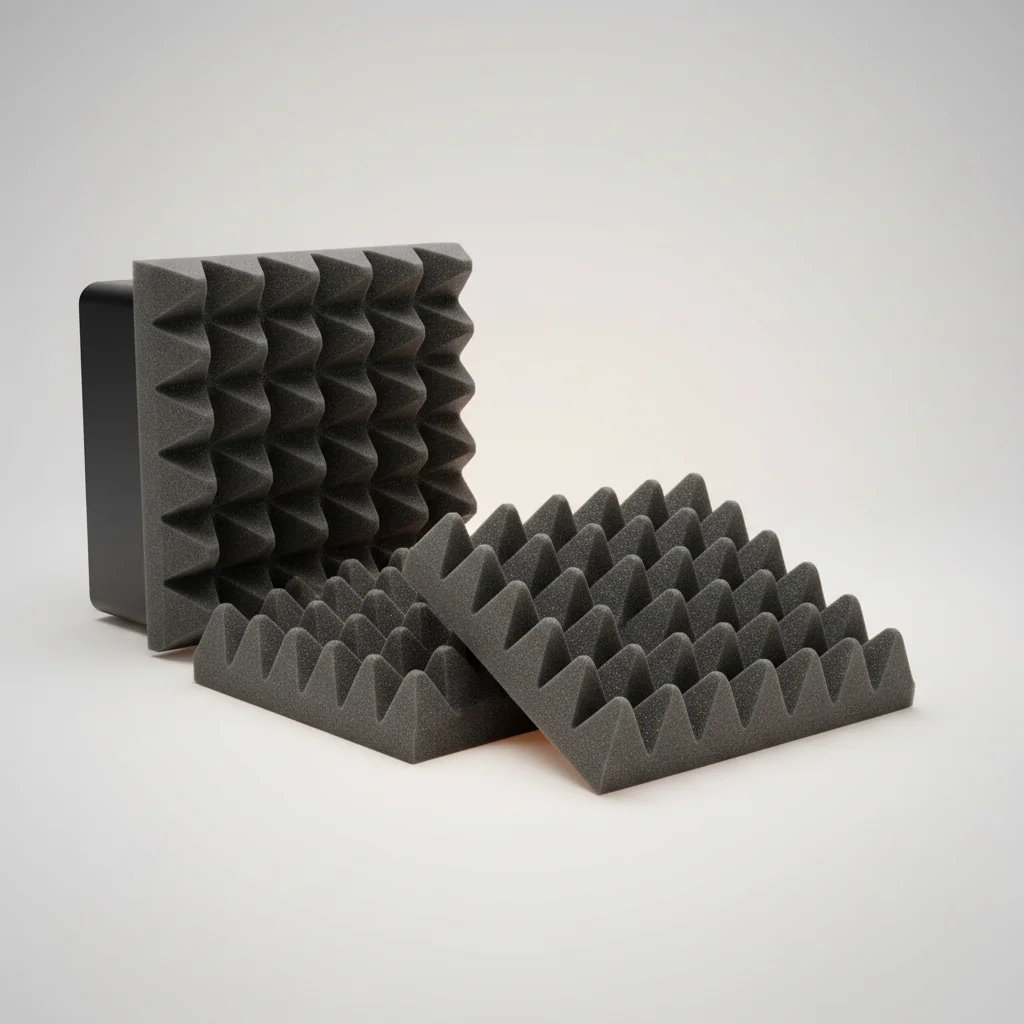
Studio monitor isolation pads significantly improve sound clarity and reduce unwanted vibrations by decoupling monitors from their resting surface. These pads, typically made from acoustic foam or rubber, prevent the transfer of low-frequency energy from the monitor cabinet to your desk or stands. This decoupling effect results in a tighter bass response, more accurate mid-range, and a clearer stereo image, making a noticeable difference in audio monitoring precision.
Understanding Acoustic Decoupling
Acoustic decoupling is the process of physically separating two objects to prevent the transmission of vibrations between them. For studio monitors, the goal is to stop vibrations generated by the monitor’s drivers from traveling through the speaker cabinet into your desk, floor, or stands. When these vibrations transfer, they can cause sympathetic resonances in the supporting surface, leading to muddy bass, smeared transients, and an overall inaccurate representation of your audio. Isolation pads act as a buffer, absorbing these vibrations before they can propagate.
Improved Bass Response and Clarity
One of the most immediate benefits of using studio monitor isolation pads is the improvement in bass response. Without isolation, low-frequency vibrations can resonate with your desk, creating an artificial boost or muddiness in the bass frequencies. This makes it difficult to accurately mix and master tracks, as you might be compensating for an issue that isn’t actually present in your audio. Isolation pads tighten up the low end, allowing you to hear the true bass frequencies of your mix. This clarity extends to the mid-range and high frequencies as well, as the overall soundstage becomes more defined and less colored by external resonances.
Enhanced Stereo Imaging and Transient Response
|
Our Picks for the Best Studio Monitor in 2026
As an Amazon Associate I earn from qualifying purchases.
|
||
| Num | Product | Action |
|---|---|---|
| 1 | PreSonus Eris E4.5-2-Way 4.5" Near Field Studio Monitor (Pair) |

|
| 2 | Yamaha HS3 Powered Studio Monitor in Black, Pair (HS3 B) |
|
| 3 | (2) JBL 305P MkII 5" 2-Way Active Powered Studio Reference Monitors Speakers |
|
| 4 | PreSonus Eris E5 2-Way 5.25" Near Field Studio Monitor |
|
| 5 | PreSonus Eris 3.5 Studio Monitors (White), Pair — 3.5" Inch Powered Bookshelf Speakers, Stereo, Desktop Computer, Near Field Music Production, Audio Mixing Recording |
|
| 6 | Edifier MR4 Powered Studio Monitor Speakers, 4" Active Near-Field Monitor Speaker - White (Pair) |
|
| 7 | Mackie CR3.5 3.5" Creative Reference Powered Studio Monitors with Tone Knob and Location Switch — Active Speakers for Music Production, Desktop Computer, Gaming, HiFi Listening |
|
| 8 | Yamaha HS4 Powered Studio Monitor in White, Pair (HS4 W) |
|
| 9 | PreSonus Eris 3.5 Studio Monitors, Pair — Powered, Active Monitor Speakers for Near Field Music Production, Desktop Computer, Hi-Fi Audio |
|
| 10 | Edifier R1280T Powered Bookshelf Speakers - 2.0 Active Near Field Studio Monitor Speaker - Wooden Enclosure - 42 Watts RMS Power |
|
Beyond bass clarity, isolation pads contribute to a more precise stereo image. When monitors are properly decoupled, the sound waves are less likely to interact with the surrounding environment in unpredictable ways. This allows for a more accurate perception of instrument placement within the stereo field, making it easier to pan and balance elements in your mix. The transient response of your monitors can be improved. Transients, the initial attack of a sound, can be blurred by vibrations. By minimizing these interferences, isolation pads help your monitors reproduce these crucial sonic details with greater accuracy, leading to a more dynamic and punchy sound.
Types of Isolation Pads and Materials
Studio monitor isolation pads come in various designs and materials, each offering slightly different characteristics. The most common material is high-density acoustic foam, which provides excellent vibration absorption. Some pads feature adjustable angles, allowing you to tilt your monitors for optimal ear-level alignment. Other options include rubber or sorbothane-based pads, which are known for their superior damping properties. While the core principle remains the same – decoupling – the choice of material and design can influence the degree of isolation and the overall aesthetic. Consider the weight of your monitors and the desired angle when selecting the right pads for your setup.
- High-density acoustic foam for general purpose isolation.
- Rubber or sorbothane for enhanced vibration damping.
- Adjustable angle designs for precise monitor positioning.
- Multi-layer constructions for improved performance.
- Compact designs for smaller desk setups.
Installation and Setup Tips
Installing studio monitor isolation pads is straightforward. Simply place the pads on your desk or monitor stands, and then position your monitors directly on top of them. Ensure the pads are centered under each monitor for stable support. For optimal results, aim to have your monitor tweeters at ear level when you are in your primary listening position. Many isolation pads offer different angles, allowing you to tilt your monitors up or down to achieve this. Experiment with the placement and angle to find the sweet spot that provides the most accurate and enjoyable listening experience. Even small adjustments can make a significant difference in how you perceive your audio.Proper setup is crucial for maximizing the benefits of these accessories.
Frequently Asked Questions
What is the primary function of studio monitor isolation pads?
Studio monitor isolation pads primarily decouple your studio monitors from the surface they rest on, such as a desk or stands. This action significantly reduces unwanted vibrations and prevents the transfer of low-frequency energy, leading to clearer sound.
How do isolation pads improve bass response in studio monitors?
Isolation pads improve bass response by preventing low-frequency vibrations from resonating with your desk or other surfaces. This eliminates artificial bass boosts or muddiness, allowing you to hear the true bass frequencies of your mix more accurately.
Can isolation pads enhance stereo imaging and transient response?
Yes, isolation pads can enhance stereo imaging by allowing sound waves to interact less with the environment, leading to a more accurate perception of instrument placement. They also improve transient response by minimizing vibrations that can blur the initial attack of sounds, resulting in a more dynamic sound.
What materials are commonly used for studio monitor isolation pads?
The most common material for studio monitor isolation pads is high-density acoustic foam, known for excellent vibration absorption. Other options include rubber or sorbothane-based pads, which offer superior damping properties for enhanced isolation.
How should I install studio monitor isolation pads for optimal performance?
To install isolation pads, simply place them on your desk or stands, then position your monitors directly on top, ensuring they are centered for stability. For optimal results, aim to have your monitor tweeters at ear level and experiment with adjustable angles to find the best listening position.
How to Install Studio Monitor Isolation Pads
Properly installing studio monitor isolation pads can significantly improve your audio monitoring experience by reducing vibrations and enhancing sound clarity.
Begin by placing the isolation pads on your desk or monitor stands. Ensure the surface is clean and stable before positioning the pads.
Carefully place your studio monitors directly on top of the isolation pads. Make sure each monitor is centered on its pad for stable support and even weight distribution.
For optimal results, adjust the height and angle of your monitors so that the tweeters are at ear level when you are in your primary listening position. Many pads offer adjustable angles to help achieve this.
Experiment with the exact placement and angle of your monitors and pads. Even small adjustments can significantly impact how you perceive your audio, helping you find the sweet spot for the most accurate listening experience.

The rubber pads I got did help with vibrations, but I didn’t experience the huge improvement in bass response that some people talk about. Maybe my room acoustics are just too bad, or my monitors aren’t high-end enough to really show the difference. They’re okay, but I was hoping for a more dramatic change in sound precision.
Seriously impressed with these studio monitor isolation pads. I’ve been struggling with unwanted vibrations transferring from my monitors to my stand for ages, making my mixes sound off. These pads fixed it instantly. The sound is so much cleaner, and I can finally trust what I’m hearing. Highly recommend for anyone serious about their audio production.
I picked up a set of these after reading about acoustic decoupling. My old setup had my monitors directly on my wooden desk, and I always felt like the sound was a bit muddy. With these pads, the mid-range clarity is noticeably better, and the stereo image feels wider. It’s a solid upgrade for the price, and I’m glad I invested in them.
I was skeptical about how much difference isolation pads could really make, but wow. My desk used to vibrate like crazy, especially with bass-heavy tracks. These acoustic foam pads completely eliminated that issue. The bass is so much tighter now, and I can actually hear the low end more accurately without all the rumble. Definitely a game-changer for my home studio setup.