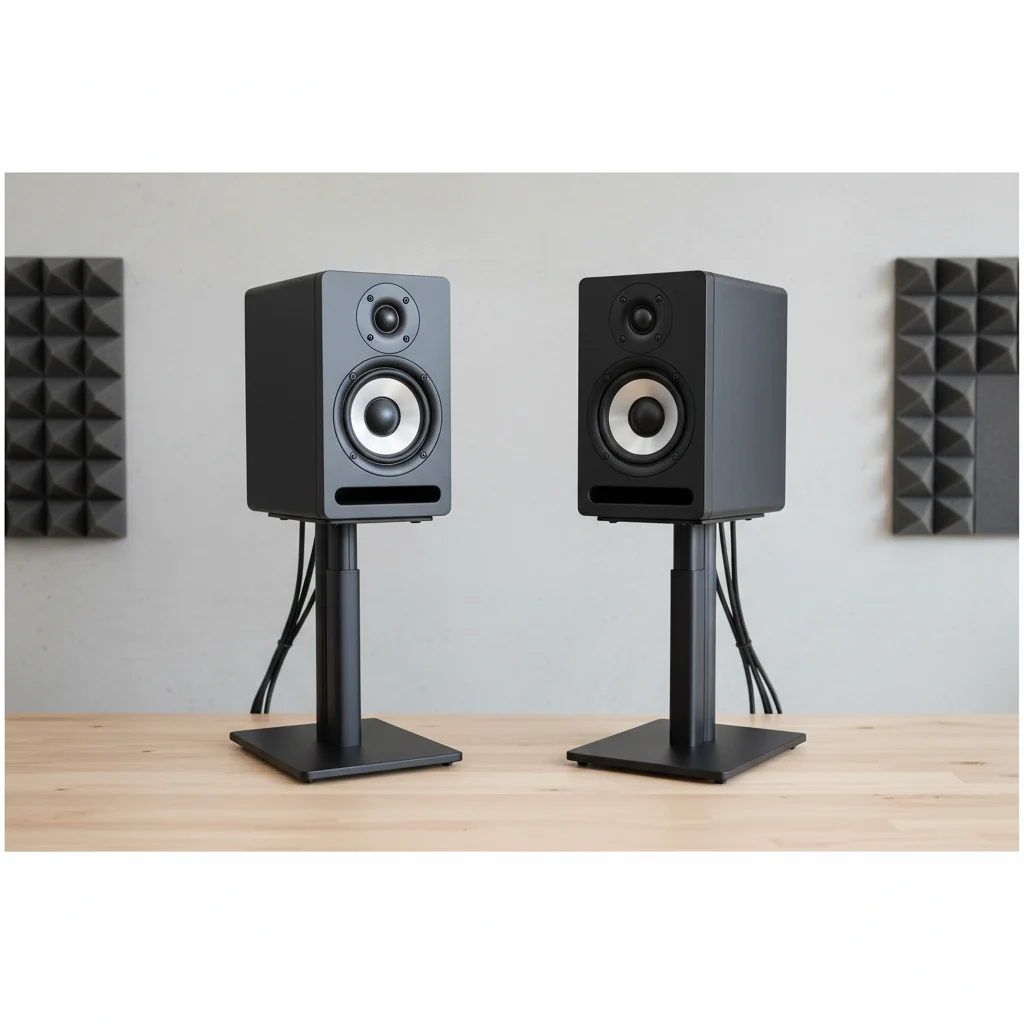
Studio monitors should be positioned to form an equilateral triangle with your listening position, meaning the distance between the two monitors is roughly the same as the distance from each monitor to your head. For most home studio setups, this typically translates to a distance of 3 to 5 feet between the monitors for optimal sound reproduction.
Understanding the Equilateral Triangle Principle
The equilateral triangle setup is fundamental for accurate audio monitoring. When your monitors and your head form this precise triangle, you establish a ‘sweet spot’ where the stereo image is most accurate and balanced. This configuration minimizes phase issues and ensures you perceive your mix as intended, preventing an inaccurate perception of the soundstage and frequency response.
Factors Influencing Monitor Spacing
Several factors influence the ideal spacing of your studio monitors. Room size is crucial; smaller rooms may require closer spacing to prevent excessive reflections, while larger rooms offer more flexibility. Monitor size also matters; larger monitors with wider dispersion patterns often benefit from slightly more space. Additionally, the type of music you produce can influence your decision; genres with intricate stereo imaging may benefit from a more precise equilateral setup.
- Room dimensions and acoustics
- Monitor size and dispersion
- Listening distance and sweet spot
- Presence of acoustic treatment
- Personal preference and ear fatigue
Dealing with Room Acoustics and Reflections
|
Our Picks for the Best Studio Monitor in 2026
As an Amazon Associate I earn from qualifying purchases.
|
||
| Num | Product | Action |
|---|---|---|
| 1 | Edifier MR4 Powered Studio Monitor Speakers, 4" Active Near-Field Monitor Speaker - White (Pair) |

|
| 2 | PreSonus Eris E5 2-Way 5.25" Near Field Studio Monitor |
|
| 3 | Yamaha HS4 Powered Studio Monitor in White, Pair (HS4 W) |
|
| 4 | (2) JBL 305P MkII 5" 2-Way Active Powered Studio Reference Monitors Speakers |
|
| 5 | Edifier R1280T Powered Bookshelf Speakers - 2.0 Active Near Field Studio Monitor Speaker - Wooden Enclosure - 42 Watts RMS Power |
|
| 6 | Mackie CR3.5 3.5" Creative Reference Powered Studio Monitors with Tone Knob and Location Switch — Active Speakers for Music Production, Desktop Computer, Gaming, HiFi Listening |
|
| 7 | Yamaha HS3 Powered Studio Monitor in Black, Pair (HS3 B) |
|
| 8 | PreSonus Eris E4.5-2-Way 4.5" Near Field Studio Monitor (Pair) |
|
| 9 | PreSonus Eris 3.5 Studio Monitors (White), Pair — 3.5" Inch Powered Bookshelf Speakers, Stereo, Desktop Computer, Near Field Music Production, Audio Mixing Recording |
|
| 10 | PreSonus Eris 3.5 Studio Monitors, Pair — Powered, Active Monitor Speakers for Near Field Music Production, Desktop Computer, Hi-Fi Audio |
|
Even with perfect monitor placement, room acoustics significantly impact sound quality. Hard surfaces like bare walls and windows can cause reflections that muddy your audio. Consider adding acoustic treatment such as bass traps, diffusers, and absorption panels to minimize these issues. Proper treatment allows you to hear the direct sound from your monitors more clearly, making your placement efforts even more effective.
Fine-Tuning Your Setup for Optimal Sound
Once you’ve established the equilateral triangle, take time to fine-tune your setup. Experiment with small adjustments to the toe-in angle of your monitors; a slight toe-in, where monitors are angled inward towards your head, can enhance the stereo image. Ensure your monitors are at ear level, with the tweeters pointing directly at your ears, to achieve the clearest high-frequency response. Also, consider the distance from the back wall; pulling monitors slightly away can reduce bass buildup.
The Importance of Experimentation
While guidelines provide an excellent starting point, every room and every set of ears is unique. Experiment with different monitor placements within the general principles. Listen to reference tracks you know well and pay attention to the stereo image, bass response, and overall clarity. What sounds best to you in your specific environment is ultimately the most important factor. Take notes on different configurations and trust your ears to guide you to the perfect setup.
Frequently Asked Questions
What is the ideal distance between studio monitors for home studios?
For most home studio setups, the ideal distance between studio monitors is typically 3 to 5 feet. This spacing helps form an equilateral triangle with your listening position, which is crucial for accurate sound reproduction and a precise stereo image.
Why is the equilateral triangle principle important for monitor placement?
The equilateral triangle principle is vital because it creates a 'sweet spot' where the stereo image is most precise and balanced, minimizing phase issues. This ensures you hear your mix as intended, providing an accurate perception of your soundstage and frequency response.
What factors influence how far apart studio monitors should be?
Several factors influence monitor spacing, including room dimensions, monitor size and dispersion patterns, and the presence of acoustic treatment. Smaller rooms may require closer spacing, while larger monitors might benefit from more space to optimize sound.
How do room acoustics affect studio monitor sound quality?
Room acoustics significantly impact sound quality by causing reflections from hard surfaces like walls and windows, which can muddy your sound. Adding acoustic treatment such as bass traps and diffusers helps minimize these issues, allowing for clearer direct sound from your monitors.
Should studio monitors be angled towards the listener?
Yes, studio monitors should generally be angled inward towards your head, a technique known as 'toe-in.' This slight angle can further enhance the stereo image and ensure the tweeters are pointing directly at your ears for the clearest high-frequency response.
Set Up Your Studio Monitors for Optimal Sound
Achieve the best sound quality from your studio monitors by following these steps for proper placement and fine-tuning.
Position your studio monitors and your listening spot to form an equilateral triangle. The distance between the two monitors should be roughly equal to the distance from each monitor to your head, typically 3 to 5 feet apart for home studios.
Ensure your monitors are at ear level, with the tweeters pointing directly at your ears for optimal high-frequency response. Experiment with a slight 'toe-in' angle, where the monitors are angled inward towards your head, to enhance the stereo image.
Address room acoustics by adding acoustic treatment like bass traps, diffusers, and absorption panels. This minimizes reflections from hard surfaces, allowing you to hear the direct sound from your monitors more clearly and accurately.
Experiment with the distance of your monitors from the back wall. Pulling monitors slightly away from the wall can help reduce bass buildup and improve overall low-frequency clarity in your listening environment.
While guidelines provide a starting point, every room is unique. Experiment with small adjustments to placement and listen to reference tracks you know well. Trust your ears to guide you to the setup that sounds best in your specific environment.

The equilateral triangle setup is definitely important, but I found that in my small, untreated room, even with perfect spacing, I still get some weird reflections. It’s a good starting point, but I wish there was more info on how to deal with less-than-ideal room acoustics alongside the placement advice. Still, it’s a solid foundation.
This guide really helped me dial in my home studio. I was just guessing before, but now I understand why the 3 to 5 feet spacing is so crucial. My mixes are translating much better to other systems, and I’m not over-panning things anymore. Definitely a game-changer for my workflow.
I always thought monitor placement was just about aesthetics, but understanding the ‘sweet spot’ and how it affects phase issues has totally changed my perspective. My mixes sound so much more balanced now, and I’m catching details I used to miss. This was super helpful for my portable audio production setup.
I’ve been struggling with my mixes sounding muddy, and I always just assumed it was my cheap monitors. After reading about the equilateral triangle principle, I rearranged my setup, and wow, what a difference! My stereo image is so much clearer now, and I can actually pinpoint instruments. It’s like I got new monitors without spending a dime.