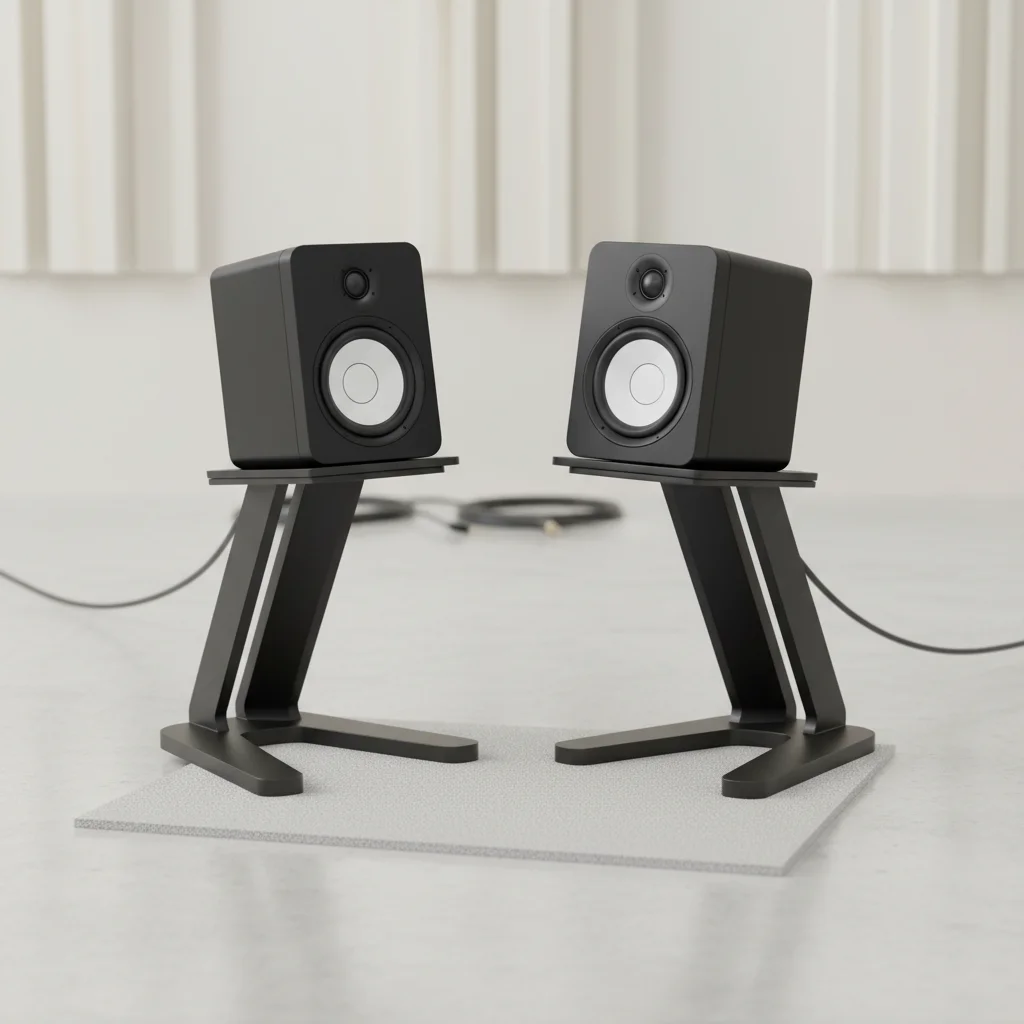
Studio monitor stands can significantly improve sound quality by providing proper isolation and positioning for your speakers. While often overlooked, the right stands address common acoustic issues like unwanted vibrations and incorrect listening angles, leading to a more accurate and detailed audio reproduction. This improvement is primarily due to decoupling the monitors from your desk or floor, reducing sympathetic vibrations that can muddy the sound, and elevating them to ear level for optimal stereo imaging.
Why Isolation is Crucial for Studio Monitors
When studio monitors are placed directly on a desk or floor, vibrations from the speaker enclosures can transfer to the surface. This causes the surface to resonate, adding unwanted coloration and blurring the low-end frequencies. Isolation stands, often featuring materials like dense foam, rubber, or spiked feet, create a barrier that decouples the monitors from the supporting surface. This decoupling prevents the transfer of vibrations, allowing the monitors to reproduce sound more accurately without interference from external resonances. The result is a tighter bass response and clearer mid-range.
Achieving Optimal Listening Position
For accurate monitoring, your ears should be level with the acoustic axis of your studio monitors, typically between the tweeter and woofer. Placing monitors on a desk often results in them being too low, leading to an inaccurate frequency response and poor stereo imaging. Studio monitor stands allow you to adjust the height of your speakers, ensuring they are precisely at ear level in your listening sweet spot. This correct vertical positioning is critical for hearing the full frequency spectrum as intended by the monitor’s design, improving transient response and overall clarity.
Benefits of Proper Speaker Positioning
|
Our Picks for the Best Studio Monitor in 2026
As an Amazon Associate I earn from qualifying purchases.
|
||
| Num | Product | Action |
|---|---|---|
| 1 | Edifier R1280T Powered Bookshelf Speakers - 2.0 Active Near Field Studio Monitor Speaker - Wooden Enclosure - 42 Watts RMS Power |

|
| 2 | (2) JBL 305P MkII 5" 2-Way Active Powered Studio Reference Monitors Speakers |
|
| 3 | PreSonus Eris 3.5 Studio Monitors, Pair — Powered, Active Monitor Speakers for Near Field Music Production, Desktop Computer, Hi-Fi Audio |
|
| 4 | PreSonus Eris E5 2-Way 5.25" Near Field Studio Monitor |
|
| 5 | Yamaha HS3 Powered Studio Monitor in Black, Pair (HS3 B) |
|
| 6 | Edifier MR4 Powered Studio Monitor Speakers, 4" Active Near-Field Monitor Speaker - White (Pair) |
|
| 7 | Mackie CR3.5 3.5" Creative Reference Powered Studio Monitors with Tone Knob and Location Switch — Active Speakers for Music Production, Desktop Computer, Gaming, HiFi Listening |
|
| 8 | PreSonus Eris 3.5 Studio Monitors (White), Pair — 3.5" Inch Powered Bookshelf Speakers, Stereo, Desktop Computer, Near Field Music Production, Audio Mixing Recording |
|
| 9 | Yamaha HS4 Powered Studio Monitor in White, Pair (HS4 W) |
|
| 10 | PreSonus Eris E4.5-2-Way 4.5" Near Field Studio Monitor (Pair) |
|
Beyond height, the correct horizontal positioning of your studio monitors is also vital. Stands facilitate the creation of an equilateral triangle between your two monitors and your listening position. This setup ensures that both speakers are equidistant from your ears, which is fundamental for accurate stereo imaging and a balanced soundstage. When monitors are positioned correctly, you can more easily identify panning, depth, and spatial relationships within your mix, leading to better mixing decisions.
Types of Studio Monitor Stands
There are several types of studio monitor stands, each offering different benefits. Desktop stands are compact and designed to sit on your desk, often providing tilt adjustment and some level of isolation. Floor stands are more robust, offering greater height adjustability and superior isolation from floor vibrations. Wall-mounted stands save space and can be ideal for very small rooms or specific acoustic treatments. Each type aims to achieve the same goal: optimize monitor performance through better positioning and isolation. Consider the size of your monitors and your room when choosing the appropriate stand type.
Material and Construction Considerations
The materials and construction of studio monitor stands play a significant role in their effectiveness. Heavy-duty steel or aluminum stands offer excellent stability and can often be filled with sand or shot for added mass and vibration damping. Isolation pads made from high-density foam or rubber are commonly used on top of stands or directly under monitors to further reduce vibrations. Spiked feet are another common feature, designed to minimize contact with the floor and channel vibrations away. The combination of sturdy construction and effective isolation materials ensures maximum sonic benefit.
- Reduced unwanted vibrations from desks or floors.
- Improved clarity and detail in the audio spectrum.
- More accurate bass response due to decoupling.
- Optimal listening height for better stereo imaging.
- Enhanced transient response and overall mix accuracy.

I was skeptical about how much difference stands would make, but after reading about decoupling and sympathetic vibrations, I decided to try them. My cheap foam pads just weren’t cutting it. Elevating my monitors to ear level with proper stands made a huge difference in my mixes. The low-end is so much tighter now, and the stereo imaging is way clearer. Definitely worth the investment for any home studio.
The point about incorrect listening angles really hit home for me. My monitors were always a bit too low, and I was constantly adjusting my chair. Getting proper stands that elevated them to ear level has been a game-changer for my workflow and my neck! Plus, the sound quality is noticeably better, especially in the mid-range. No more muddy mixes for me.
I got some new stands with spiked feet, hoping to really clean up my sound. While the overall clarity did improve, especially with reducing vibrations from my desk, I’m not sure the difference was as dramatic as I’d hoped for the price. Maybe my room acoustics are just too challenging, or I need to invest in even higher-end stands. Still, it’s better than nothing.
I’ve always just had my monitors on my desk, and I thought they sounded fine. But the explanation about unwanted coloration and blurred low-end frequencies really resonated with me. I picked up a pair of basic isolation stands, and wow, what a change! The sound is much more accurate, and I can hear details I was missing before. My only minor complaint is that they took a bit longer to assemble than I expected.