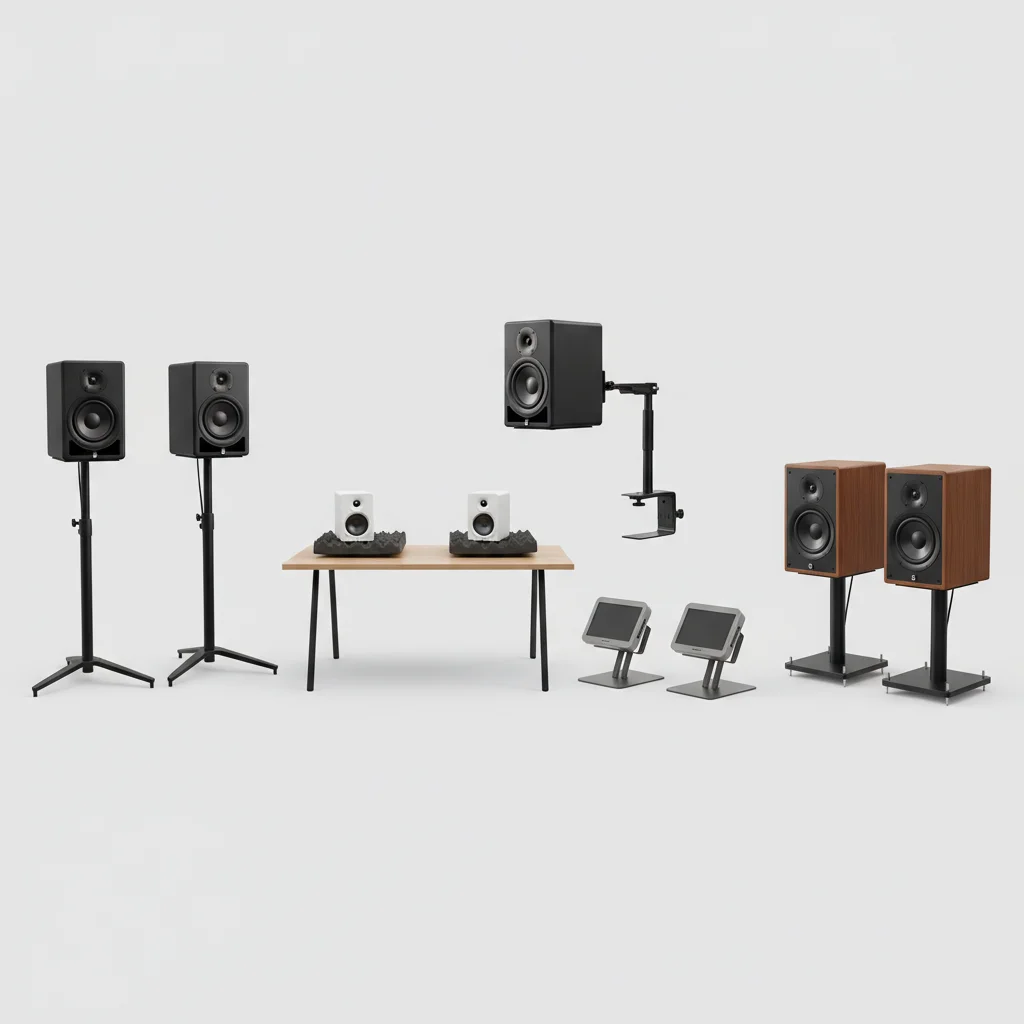
Studio monitor stands are highly recommended for achieving optimal audio performance and ergonomics, though not strictly necessary for every setup. They offer significant advantages in sound accuracy, vibration isolation, and positioning flexibility compared to placing monitors directly on a desk. For serious audio work, investing in quality stands can make a noticeable difference in your mix and overall listening experience.
Why Studio Monitor Stands Improve Sound Quality
One of the primary reasons to use studio monitor stands is to improve sound quality. When monitors sit directly on a desk or other surface, vibrations from the speakers can transfer into the surface, causing unwanted resonance and coloring the sound. This can lead to an inaccurate representation of your audio, making it harder to mix effectively. Stands decouple the monitors from the surface, minimizing these vibrations and allowing the speakers to perform as intended. This results in a clearer, more precise soundstage and a truer frequency response.
Proper positioning is also crucial for accurate monitoring. Stands allow you to place your monitors at the ideal height and angle, typically with the tweeters at ear level, forming an equilateral triangle with your listening position. This ‘sweet spot’ ensures that you hear the full frequency spectrum without phase issues or reflections from your desk. Without stands, achieving this precise placement can be challenging, often leading to compromised audio.
Types of Studio Monitor Stands
There are several types of studio monitor stands available, each with its own advantages. Floor stands are the most common, offering robust support and height adjustability. They are ideal for larger monitors and provide excellent isolation. Desk stands, on the other hand, are designed to sit on your existing desk, raising the monitors to ear level and often incorporating isolation pads. Wall-mounted stands are another option, saving desk space and providing a very stable platform, though they require permanent installation.
- Floor Stands: Best for larger monitors and maximum isolation.
- Desk Stands: Space-saving, good for smaller setups, often include isolation.
- Wall-Mounted Stands: Excellent stability, frees up desk space, permanent.
- Clamp-On Stands: Attach to the edge of a desk, good for flexible positioning.
- Isolation Pads: A budget-friendly alternative for minor decoupling.
Key Features to Look For
|
Our Picks for the Best Studio Monitor in 2026
As an Amazon Associate I earn from qualifying purchases.
|
||
| Num | Product | Action |
|---|---|---|
| 1 | Mackie CR3.5 3.5" Creative Reference Powered Studio Monitors with Tone Knob and Location Switch — Active Speakers for Music Production, Desktop Computer, Gaming, HiFi Listening |

|
| 2 | Yamaha HS4 Powered Studio Monitor in White, Pair (HS4 W) |
|
| 3 | PreSonus Eris E4.5-2-Way 4.5" Near Field Studio Monitor (Pair) |
|
| 4 | Edifier R1280T Powered Bookshelf Speakers - 2.0 Active Near Field Studio Monitor Speaker - Wooden Enclosure - 42 Watts RMS Power |
|
| 5 | Yamaha HS3 Powered Studio Monitor in Black, Pair (HS3 B) |
|
| 6 | PreSonus Eris 3.5 Studio Monitors, Pair — Powered, Active Monitor Speakers for Near Field Music Production, Desktop Computer, Hi-Fi Audio |
|
| 7 | Edifier MR4 Powered Studio Monitor Speakers, 4" Active Near-Field Monitor Speaker - White (Pair) |
|
| 8 | (2) JBL 305P MkII 5" 2-Way Active Powered Studio Reference Monitors Speakers |
|
| 9 | PreSonus Eris E5 2-Way 5.25" Near Field Studio Monitor |
|
| 10 | PreSonus Eris 3.5 Studio Monitors (White), Pair — 3.5" Inch Powered Bookshelf Speakers, Stereo, Desktop Computer, Near Field Music Production, Audio Mixing Recording |
|
When choosing studio monitor stands, consider several key features. Stability is paramount; look for stands with a wide base and sturdy construction to prevent tipping. Adjustable height is also important to ensure you can position your monitors at ear level. Some stands offer tilt adjustment, allowing you to angle the monitors precisely towards your listening position. Material also plays a role; steel or aluminum stands are generally more robust than plastic. Finally, consider built-in isolation features like foam pads or spiked feet, which further reduce unwanted vibrations.
Weight capacity is another critical specification. Ensure the stands can safely support the weight of your specific studio monitors. Overloading stands can lead to instability and potential damage to your equipment. Cable management features, such as internal channels or clips, can help keep your workspace tidy and prevent tripping hazards.
Setting Up Your Studio Monitor Stands
Proper setup of your studio monitor stands is just as important as choosing the right ones. Begin by assembling the stands according to the manufacturer’s instructions, ensuring all components are securely fastened. Place the stands in your listening environment, aiming for an equilateral triangle setup with your head and the two monitors. The tweeters of your monitors should be at ear level when you are in your primary listening position. Adjust the height and tilt of the stands as needed to achieve this.
Once the monitors are on the stands, take some time to listen to your audio. Experiment with slight adjustments to the stand placement and monitor angle. Pay attention to the stereo imaging, bass response, and overall clarity. You might find that even small tweaks can significantly impact your perception of the sound. Remember that every room is different, and some acoustic treatment might also be necessary to get the most out of your monitor setup.For optimal results, ensure your stands are level and stable, providing a solid foundation for your critical listening.
Alternatives to Dedicated Stands
While dedicated studio monitor stands offer the best performance, there are alternatives if budget or space is a concern. Isolation pads, made from high-density foam or rubber, can be placed under your monitors to decouple them from a desk surface. These are a cost-effective way to reduce vibrations, though they don’t offer height adjustment. Bookshelves or sturdy furniture can also be used, but they often lack the ideal height and isolation properties of purpose-built stands. If using furniture, try to place isolation pads underneath the monitors to minimize resonance. Any effort to raise and decouple your monitors will be an improvement over placing them directly on a reflective surface.
Frequently Asked Questions
Are studio monitor stands truly necessary for home audio production?
Studio monitor stands are not strictly necessary but are highly recommended for optimal audio performance. They significantly improve sound accuracy and vibration isolation, which is crucial for effective mixing and critical listening in home studios.
How do monitor stands improve the sound quality of studio speakers?
Monitor stands improve sound quality by decoupling speakers from surfaces like desks, preventing vibrations from coloring the sound. This results in a clearer, more precise soundstage and a truer frequency response, allowing speakers to perform as intended.
What are the main types of studio monitor stands available?
The main types of studio monitor stands include floor stands for larger monitors, desk stands for smaller setups, and wall-mounted stands for space-saving stability. Other options are clamp-on stands and isolation pads for minor decoupling.
What features should I look for when buying studio monitor stands?
When buying studio monitor stands, look for stability, adjustable height, and tilt adjustment. Consider robust materials like steel or aluminum, built-in isolation features, and ensure the weight capacity safely supports your specific monitors.
Can I use alternatives if I don't want dedicated studio monitor stands?
Yes, alternatives exist if dedicated stands are not feasible. Isolation pads made from high-density foam or rubber can reduce vibrations, and sturdy furniture can be used, though they may lack ideal height and isolation properties.
Setting Up Your Studio Monitor Stands for Optimal Sound
Properly setting up your studio monitor stands is crucial for achieving the best possible sound quality and an accurate listening environment.
Begin by assembling the stands according to the manufacturer's instructions, ensuring all components are securely fastened. Place the stands in your listening environment, aiming for an equilateral triangle setup with your head and the two monitors.
The tweeters of your monitors should be at ear level when you are in your primary listening position. Adjust the height and tilt of the stands as needed to achieve this precise placement, ensuring optimal sound projection.
Once the monitors are on the stands, take some time to listen to your audio. Experiment with slight adjustments to the stand placement and monitor angle. Pay attention to the stereo imaging, bass response, and overall clarity to find your 'sweet spot'.

As someone with a small home studio, space is always an issue. I opted for wall-mounted stands, and they’ve been a game-changer. Not only do they free up desk space, but getting the monitors at the perfect height and angle has really tightened up my mixes. No more guessing if my bass is too boomy!
I got some basic desktop stands to lift my monitors up to ear level, and they do the job for ergonomics. However, I’m not sure I noticed a massive improvement in sound quality compared to just having them on my desk with some foam pads. Maybe I need to invest in something more heavy-duty for better vibration isolation, but for now, these are okay.
I was skeptical about how much a stand could really improve things, but the point about decoupling monitors from the surface really resonated. I went with a pair of floor stands for my KRK Rokits, and the soundstage feels much wider and more defined now. My only minor gripe is that they took a bit longer to assemble than I expected, but worth it for the sound.
I finally pulled the trigger on some isolation pads after reading about how much they help with vibration. My old setup had my monitors right on my desk, and I always felt like the bass was a bit muddy. These have made a huge difference in clarity, especially in the low end. It’s like I’m hearing my mixes with fresh ears.