For small desk setups, the best 5-inch studio monitors in 2026 include the Yamaha HS5, KRK Rokit 5 G5, Adam Audio T5V, JBL 305P MkII, and PreSonus Eris E5 XT. These models offer a crucial balance of compact size, accurate sound reproduction, and features like room correction, which are essential for precise audio mixing and mastering in limited spaces. A 5-inch woofer is often considered the optimal size for small, untreated rooms to prevent excessive bass buildup and ensure clarity.
What is a Studio Monitor?
A studio monitor is a specialized loudspeaker meticulously designed to reproduce audio signals as accurately and neutrally as possible, without adding any coloration or embellishment. Unlike consumer-grade speakers, which often enhance bass or treble for a more “pleasant” listening experience, studio monitors aim for a “flat” frequency response, meaning all frequencies are reproduced at the same volume level. This uncolored sound is crucial for audio professionals to make informed mixing and mastering decisions, ensuring their work translates consistently across various playback systems, from headphones to car stereos. Studio monitors are the critical link that reveals every nuance and flaw in a mix, enabling precise adjustments for a professional-quality track.
Types of Studio Monitors
Understanding the different types of studio monitors is essential for making an informed choice, especially when working with limited space. Each type offers distinct advantages and disadvantages that can significantly impact your workflow and sound accuracy. For best studio monitor roundups on this site.
Active Studio Monitors
Active studio monitors are the most common choice for modern home and professional studios, primarily because they feature built-in amplifiers. This integrated design means you don’t need a separate amplifier, simplifying setup and reducing cable clutter. The internal amplifier is precisely matched and tuned to the speaker drivers, often incorporating digital signal processing (DSP) for optimized performance and reliable sound accuracy. This “plug-and-play” convenience, combined with their compact and efficient design, makes active monitors ideal for small desk setups and mobile production rigs.
Passive Studio Monitors
In contrast, passive studio monitors require an external power amplifier to operate. They contain a passive crossover that splits the amplified signal into different frequency bands for the woofer and tweeter. While offering greater flexibility for upgrading individual components like amplifiers, passive setups are generally more complex, requiring careful impedance matching between the amplifier and speakers to avoid poor sound quality or damage. For compact home studios where simplicity and space-saving are priorities, active monitors usually prove to be the more practical and reliable option.
Nearfield Studio Monitors
|
Our Picks for the Best Studio Monitor in 2026
As an Amazon Associate I earn from qualifying purchases.
|
||
| Num | Product | Action |
|---|---|---|
| 1 | PreSonus Eris 3.5 Studio Monitors (White), Pair — 3.5" Inch Powered Bookshelf Speakers, Stereo, Desktop Computer, Near Field Music Production, Audio Mixing Recording |

|
| 2 | Edifier MR4 Powered Studio Monitor Speakers, 4" Active Near-Field Monitor Speaker - White (Pair) |
|
| 3 | Mackie CR3.5 3.5" Creative Reference Powered Studio Monitors with Tone Knob and Location Switch — Active Speakers for Music Production, Desktop Computer, Gaming, HiFi Listening |
|
| 4 | (2) JBL 305P MkII 5" 2-Way Active Powered Studio Reference Monitors Speakers |
|
| 5 | Edifier R1280T Powered Bookshelf Speakers - 2.0 Active Near Field Studio Monitor Speaker - Wooden Enclosure - 42 Watts RMS Power |
|
| 6 | PreSonus Eris E5 2-Way 5.25" Near Field Studio Monitor |
|
| 7 | PreSonus Eris E4.5-2-Way 4.5" Near Field Studio Monitor (Pair) |
|
| 8 | Yamaha HS3 Powered Studio Monitor in Black, Pair (HS3 B) |
|
| 9 | PreSonus Eris 3.5 Studio Monitors, Pair — Powered, Active Monitor Speakers for Near Field Music Production, Desktop Computer, Hi-Fi Audio |
|
| 10 | Yamaha HS4 Powered Studio Monitor in White, Pair (HS4 W) |
|
Nearfield monitors are designed for close-distance listening, typically placed between three to five feet from the listener. They feature smaller drivers, commonly ranging from 5 to 8 inches, and are intended to deliver a higher ratio of direct sound to reflected sound. This design minimizes the influence of room acoustics on what you hear, making them ideal for critical mixing and mastering tasks in smaller, often acoustically untreated rooms. Their proximity to the listener allows for detailed work, helping to catch minor problems in a mix that might otherwise be masked by room reflections. For small desks, nearfield monitors are almost always the correct choice, offering focused and accurate sound in a compact footprint.
Farfield Studio Monitors
Farfield monitors are much larger speakers, designed to be placed at a greater distance from the listener, often ten feet or more. These are typically found in large professional studios, mounted on or within walls, and are used to assess the overall balance and low-end translation of a mix in the context of the entire room. Due to their size and the listening distance they require, farfield monitors are impractical for small desk setups and are not a suitable consideration for this specific use case.
Important Factors When Choosing Studio Monitors
Choosing the right studio monitors involves evaluating several technical specifications and features to ensure they meet the demands of your listening environment and production workflow. For small desks, these factors become even more critical to achieve optimal performance.
Woofer Size
The woofer size significantly influences a monitor’s ability to reproduce low frequencies. For small desks and untreated rooms, a 5-inch woofer is often considered the sweet spot. While larger woofers (6.5 or 8 inches) can deliver deeper bass, they can also cause excessive low-end buildup and muddiness in confined spaces. A 5-inch monitor generally provides a controlled and accurate low-frequency reproduction that suits smaller rooms, preventing bass frequencies from clouding your mix. If deeper bass is absolutely essential for your genre (e.g., electronic music or hip-hop), a 5-inch monitor paired with a small, calibrated subwoofer designed for desktop use might be a better solution than oversized monitors.
Frequency Response
Frequency response refers to the range of frequencies a speaker can reproduce and how uniformly it does so across that range. It’s measured in Hertz (Hz) or kilohertz (kHz) and is ideally “flat” in studio monitors, meaning all frequencies are reproduced at an equal volume level. A typical human hearing range is 20 Hz to 20 kHz. A monitor with a flat frequency response ensures you hear your audio without any artificial boosts or cuts, allowing for accurate mixing and mastering decisions that translate well to other systems. Deviations in the frequency response can lead to mixes that sound great in your studio but fall apart elsewhere.
Power
The power rating, often expressed in watts (W), indicates how loud a monitor can play without distortion and influences its maximum sound pressure level (SPL). While small rooms don’t typically require extremely high power, having sufficient wattage ensures clear, dynamic sound reproduction. For 5-inch monitors, a combined power output of 50-80W per speaker is generally adequate for desktop use. It’s more about clean headroom than raw volume; higher power allows the monitor to handle transient peaks without compressing or distorting the sound, preserving the mix’s integrity even at moderate listening levels.
Total Harmonic Distortion (THD)
Total Harmonic Distortion (THD) is a measure of the unwanted harmonic content introduced into a signal by a device. Ideally, a speaker should reproduce the input signal identically, but non-linear distortions can create new overtones, affecting sound quality. A lower THD percentage indicates a cleaner, more accurate signal reproduction, closer to the original sound source. For studio monitors, a THD value below 0.5% at nominal listening levels is generally considered excellent, ensuring that the monitors aren’t adding audible artifacts that could mislead your mixing decisions. While some distortion can be creatively used (e.g., tube amplifiers), it is undesirable in critical monitoring.
Connectivity
Studio monitors typically offer various input options, and choosing the right connectivity ensures optimal signal integrity.
- XLR: These are balanced, professional connectors known for their secure locking mechanism and excellent noise rejection over long cable runs. They are standard in studio environments.
- TRS (Tip-Ring-Sleeve): Often found as 1/4-inch jacks, TRS cables can also carry a balanced signal, offering similar noise rejection to XLR. They are very common on audio interfaces and monitors for desktop setups.
- RCA: These are unbalanced, consumer-grade connectors commonly found on hi-fi equipment. While functional, RCA connections are more susceptible to noise and interference, especially over longer distances, making them less ideal for critical studio work.
For the best sound quality and noise rejection, always prioritize balanced connections (XLR or TRS) if your audio interface supports them.
Comparing Top Studio Monitor Brands
Several brands consistently deliver high-quality studio monitors, each with a distinct philosophy and sound signature. For small desk setups requiring 5-inch monitors, certain brands stand out for their blend of performance, features, and size.
| Brand | Sound Signature | Target User | Key Features | Price Range (Pair) |
|---|---|---|---|---|
| Yamaha | Flat, analytical, mid-focused | Mixing/mastering, precise work | Room Control/High Trim EQ, iconic sound | Mid-range |
| KRK | Punchy bass, vibrant highs | Electronic music, hip-hop, versatile | Front-ported, DSP EQ, voicing modes, app integration | Entry-to-Mid |
| Adam Audio | Detailed, articulate highs | Audio engineers, precise imaging | U-ART ribbon tweeter, wide sweet spot | Mid-range |
| JBL | Articulate, broad sweet spot | Beginners, home studios, value | Image Control Waveguide, Boundary EQ | Entry-to-Mid |
| PreSonus | Balanced, clear, budget-friendly | Home studios, content creators | Acoustic Tuning controls, front-firing port | Entry-level |
| Focal | Transparent, dynamic | Professional studios, high-end | Flax cone woofers, room correction options | High-end |
| IK Multimedia | Accurate, compact, DSP-enhanced | Mobile producers, small spaces | ARC auto-calibration, ultra-compact | Entry-to-Mid |
> “In a small studio, every inch matters. A 5-inch monitor is often the largest you should consider to avoid bass buildup and muddy translations. Focus on clarity and room correction features over sheer power.” – Sarah Chen, Studio Design Consultant
Detailed Comparison of Best 5-Inch Studio Monitors
When narrowing down the choices for a small desk, specific 5-inch models rise to the top, offering a compelling blend of features and performance. Here’s a comparison of some of the best options available in 2026:
| Feature/Model | Yamaha HS5 | KRK Rokit 5 G5 | Adam Audio T5V | JBL 305P MkII | PreSonus Eris E5 XT |
|---|---|---|---|---|---|
| Woofer Size | 5-inch cone | 5-inch Kevlar aramid fiber | 5-inch polypropylene | 5-inch LF driver | 5.25-inch woven composite |
| Tweeter | 1-inch dome | 1-inch dampened silk-dome | U-ART ribbon tweeter | 1-inch soft-dome | 1-inch silk-dome |
| Power (RMS) | 70W (45W LF, 25W HF) | 55W (Class D) | 70W (50W LF, 20W HF) | 82W (41W LF, 41W HF) | 80W (45W LF, 35W HF) |
| Frequency Response | 54Hz – 30kHz (-10dB) | 43Hz – 40kHz (-10dB) | 45Hz – 25kHz (-6dB) | 49Hz – 20kHz (-3dB) | 48Hz – 20kHz (-3dB) |
| Connectivity | XLR, TRS | XLR, TRS, RCA | XLR, RCA | XLR, TRS | XLR, TRS, RCA |
| Port Design | Rear-firing | Front-firing | Rear-firing | Dual Slip Stream (Front-firing) | Front-firing |
| Room Correction | Room Control, High Trim EQ | DSP with 25 EQ presets, App | High/Low Shelf EQ | Boundary EQ, HF Trim | Acoustic Tuning (Mid, HF, HPF) |
| Unique Features | Iconic white cone, clean mids | Voicing Modes (Mix, Focus, Create), LCD, App control | U-ART Ribbon Tweeter for precise highs | Image Control Waveguide for wide sweet spot | EBM waveguide for wider sweet spot |
| Best For | Accurate, neutral mixing | Electronic music, versatile setups | Detailed highs, spacious imaging | Budget-conscious beginners, general production | Balanced sound, strong bass for its size |
- Yamaha HS5: Known for their accurate, flat response and clarity, especially in the midrange. They provide an honest representation, although some users find the low-end less pronounced compared to others.
- KRK Rokit 5 G5: These monitors offer a punchier bass response, often favored by electronic music producers. The G5 series includes advanced DSP and an LCD display for extensive room correction and voicing modes, making them highly versatile for different environments and genres. Their front-firing port is also advantageous for close-to-wall placement.
- Adam Audio T5V: A standout for their U-ART ribbon tweeter, which delivers exceptionally detailed and articulate high frequencies. This contributes to excellent stereo imaging and a wide sweet spot. While having a rear port, their relatively compact footprint can still work well on a small desk with careful placement.
- JBL 305P MkII: These monitors offer fantastic value, providing an articulate sound with a broad sweet spot thanks to JBL’s Image Control Waveguide. They include useful room correction options like Boundary EQ, making them adaptable to various small spaces.
- PreSonus Eris E5 XT: Offering a slightly larger woofer (5.25-inch) while still being compact, the Eris E5 XT provides a robust low-end for its size and an extended sweet spot due to its EBM waveguide. Their comprehensive acoustic tuning controls help adapt them to challenging room acoustics.
Studio Monitor Buying Guide
Purchasing studio monitors is an investment in your craft. A thoughtful approach ensures you select a pair that will serve you well for years to come.
Determine Your Budget
Studio monitors are available across a wide price spectrum. Entry-level 5-inch monitors (e.g., PreSonus, JBL) offer excellent performance for their cost, ideal for beginners or those on a tight budget. Mid-range options (e.g., Yamaha, KRK, Adam Audio) provide enhanced accuracy, build quality, and features. High-end monitors offer unparalleled transparency and precision but often come with a significant price tag. Define your budget early to narrow down your choices, ensuring that investing in better monitoring often pays dividends in mix quality.
Identify Your Usage Needs
Consider what you will primarily use your studio monitors for. Are you mixing, mastering, or producing music? What genres do you work with? The size of your room is also a critical factor; for small desks and untreated home studios, 5-inch nearfield monitors are almost always the recommended choice. If your work involves heavy bass (like EDM or hip-hop), you might prioritize monitors with strong low-end extension or plan to integrate a small, calibrated subwoofer.
Read Reviews and Comparisons
Thorough research is invaluable. Consult reviews from reputable audio publications, expert technicians, and user communities. Look for consistent feedback regarding sound accuracy, build quality, and how monitors perform in different room types. Comparison articles and videos can highlight subtle differences that might be crucial for your specific needs. Pay attention to how monitors are described in terms of their frequency response, stereo imaging, and dynamic range.
Test Before Buying (If Possible)
The most reliable way to choose monitors is to listen to them yourself. If possible, visit a pro audio store or a friend’s studio to audition different models. Play music you are intimately familiar with, across various genres, focusing on details like bass clarity, midrange presence, high-frequency articulation, and stereo separation. How monitors sound in a controlled environment can differ from your home, but personal listening preference is still a vital factor.
Understand Warranty and Support
Always check the manufacturer’s warranty and customer support policies. Good after-sales service and a robust warranty provide peace of mind, protecting your investment against potential defects or issues. Reputable brands typically offer a standard warranty period and accessible technical support resources.
How to Set Up and Use Studio Monitors Correctly
Even the best studio monitors will underperform if not set up properly. Correct placement and room treatment are crucial for maximizing their accuracy and ensuring consistent translation of your mixes.
Speaker Placement
Proper speaker placement is foundational to accurate monitoring.
- Ear Level: Position your monitors so the tweeters are at ear level when you are in your primary listening position. This ensures you hear the high frequencies accurately.
- Equilateral Triangle: Arrange the monitors and your listening position to form an equilateral triangle. The distance between the two speakers should be the same as the distance from each speaker to your ears. This creates the optimal stereo image and “sweet spot.”
- Distance from Walls: Avoid placing monitors directly against walls or in corners, as this can cause significant bass buildup and frequency response anomalies. Ideally, keep them slightly away from the rear wall (e.g., 10-50 cm or more than 1.5 m if possible) and equidistant from side walls to maintain a balanced stereo image. For rear-ported monitors, especially, ensure sufficient space behind them for the port to function correctly. Using monitor stands or desktop isolation pads can further improve clarity by decoupling the speakers from your desk.
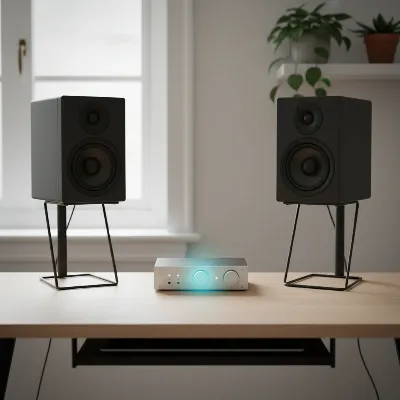 An overhead view of a home studio desk with two 5-inch studio monitors and a listener's head forming a perfect equilateral triangle, demonstrating ideal speaker placement for critical listening.
Room Acoustic Treatment
The acoustics of your room significantly impact how your monitors sound. Small, untreated rooms often suffer from reflections, standing waves, and bass buildup, distorting the perceived frequency response.
- Absorption: Use acoustic panels (foam or mineral wool) at primary reflection points (side walls, ceiling, rear wall) to absorb mid and high frequencies.
- Bass Traps: Corner-mounted bass traps are essential for controlling problematic low-end frequencies that accumulate in room corners, which is a common issue in small spaces.
- Diffusion: In some cases, diffusers can be used on rear walls to scatter sound, creating a more spacious soundstage, though they are less critical in very small rooms.
Even minimal treatment can drastically improve monitor performance.
Speaker Calibration
Room calibration software (like Sonarworks SoundID Reference) or hardware systems can measure your room’s acoustic profile and apply corrective EQ to your monitors. This helps flatten the frequency response in your specific listening environment, compensating for imperfections in your room acoustics and speaker placement. While not a replacement for physical room treatment, calibration can fine-tune your setup, providing a more accurate and reliable listening experience.
Conclusion
Choosing the best 5-inch studio monitors for your small desk in 2026 requires a careful balance of understanding your needs, evaluating technical specifications, and optimizing your listening environment. By prioritizing accurate frequency response, appropriate woofer size for your space, and correct placement, you can create a professional monitoring setup that empowers your creativity and ensures your mixes translate flawlessly. The market offers a fantastic range of options, from the analytical precision of Yamaha HS5s and Adam Audio T5Vs to the versatile, bass-rich sound of KRK Rokit 5 G5s and the excellent value of JBL 305P MkIIs. Each has its strengths, but all aim to provide the sonic truth your music deserves.
Which of these top 5-inch studio monitors will be the perfect foundation for your next masterpiece?
Frequently Asked Questions
Do I need a subwoofer with 5-inch studio monitors for electronic music?
For genres like electronic music or hip-hop that rely heavily on deep bass, a 5-inch monitor alone might not provide the full low-end extension needed. While many 5-inch monitors offer decent bass for their size, adding a dedicated subwoofer designed for studio use (like a compact 8-inch sub) can significantly improve your ability to monitor and mix sub-bass frequencies accurately. Ensure any subwoofer is properly integrated and calibrated with your main monitors.
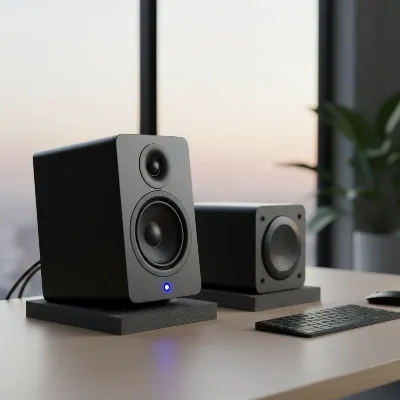 A 5-inch studio monitor paired with a compact studio subwoofer, demonstrating an enhanced low-end setup for a small desk, with isolation pads.
Can I place 5-inch studio monitors on my desk directly, or do I need stands?
While you can place 5-inch monitors directly on your desk, using dedicated monitor stands or isolation pads is highly recommended. Placing speakers directly on a desk can transfer vibrations to the surface, causing unwanted resonance and coloring the sound. Stands or pads decouple the monitors, preventing these vibrations and leading to a cleaner, more accurate sound reproduction. They also allow for easier adjustment of height and angle to achieve optimal ear-level placement and the equilateral triangle setup.
What is the ideal frequency response for 5-inch studio monitors?
The ideal frequency response for 5-inch studio monitors is as “flat” as possible, meaning all frequencies are reproduced at an equal volume level. This ensures an uncolored sound, crucial for accurate mixing and mastering decisions. A typical human hearing range is 20 Hz to 20 kHz, and a monitor with a flat response across this range helps your audio translate consistently across different playback systems.
How much power (wattage) do 5-inch studio monitors need for a small room?
For 5-inch studio monitors used in a small room or desktop setup, a combined power output of 50-80 watts (W) per speaker is generally adequate. This wattage provides sufficient headroom for clear, dynamic sound reproduction without distortion, even at moderate listening levels, which is more important than raw volume for critical monitoring.
Are active or passive 5-inch studio monitors better for home studios?
Active 5-inch studio monitors are generally better for home studios due to their built-in amplifiers, which simplify setup and reduce cable clutter. The integrated amplifier is precisely matched to the drivers, often with DSP for optimized performance. Passive monitors require an external amplifier, adding complexity and requiring careful impedance matching, making them less practical for compact home studio setups.
How does room acoustic treatment affect 5-inch studio monitors?
Room acoustic treatment significantly impacts how 5-inch studio monitors sound by minimizing unwanted reflections, standing waves, and bass buildup common in small, untreated rooms. Using absorption panels at primary reflection points and bass traps in corners can drastically improve clarity, tighten the low-end, and provide a more accurate listening environment, ensuring your monitors perform optimally.
How to Set Up and Use Studio Monitors Correctly
Proper setup and room treatment are crucial for maximizing the accuracy of your studio monitors and ensuring consistent translation of your mixes.
Position your monitors so the tweeters are at ear level when you are in your primary listening position. Arrange the monitors and your listening position to form an equilateral triangle, with the distance between the two speakers being the same as the distance from each speaker to your ears. Avoid placing monitors directly against walls or in corners to prevent bass buildup; ideally, keep them slightly away from the rear wall (e.g., 10-50 cm) and equidistant from side walls.
Address room acoustics by using acoustic panels at primary reflection points (side walls, ceiling, rear wall) to absorb mid and high frequencies. Install corner-mounted bass traps to control problematic low-end frequencies, which are common in small spaces. Even minimal treatment can drastically improve monitor performance.
Utilize room calibration software (like Sonarworks SoundID Reference) or hardware systems to measure your room's acoustic profile. This software can then apply corrective EQ to your monitors, helping to flatten the frequency response in your specific listening environment. Calibration fine-tunes your setup, providing a more accurate and reliable listening experience, though it is not a replacement for physical room treatment.

The Adam Audio T5V monitors are fantastic. I was worried about them fitting on my small desk, but they’re perfect. The soundstage is incredible, and I can really hear the details in my mixes now. My only minor gripe is that the power switch is on the back, which is a bit inconvenient sometimes.
Been using the Yamaha HS5 for a few weeks now, and I’m super impressed. The flat frequency response is exactly what I needed to get my mixes sounding right. They’re perfect for my small desk and don’t overpower the room with bass, which was a big concern for me. Highly recommend these for anyone with limited space.
I finally pulled the trigger on the JBL 305P MkII after reading about them here, and wow, what a difference! My old speakers were just muddying everything. These are so clear, and the bass response is surprisingly tight for a 5-inch woofer. Definitely a game-changer for my home studio setup.
I picked up the PreSonus Eris E5 XT, and they’re decent for the price. The room correction features are a nice touch, especially in my untreated spare bedroom. However, I’ve noticed the high-end can be a little fatiguing after long mixing sessions. I might need to tweak my EQ a bit more.